WordPress is a simple and effective way to write your own blogs. Whether you’re an influencer, artist, or simply want to express your thoughts, WordPress provides a simple, yet powerful interface to create your own website.
Installatron allows you to get started with just a few clicks. So let’s jump right in and create your own WordPress website!
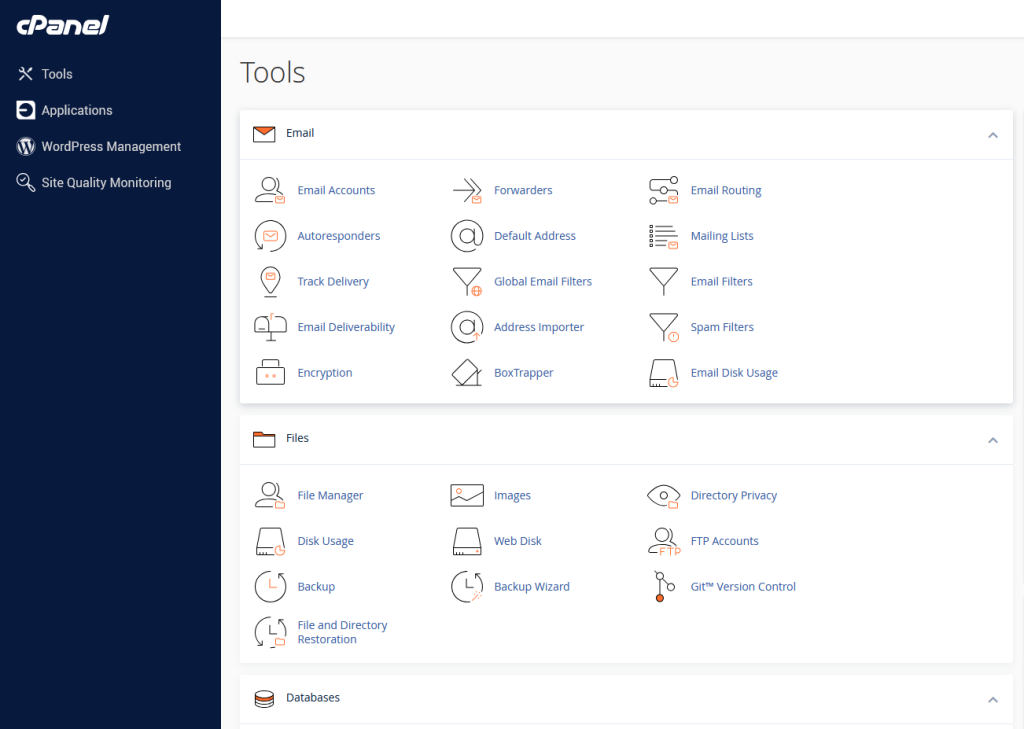
Step 1: Open cPanel
It should look something like this:
Step 2: Navigate to Applications Browser
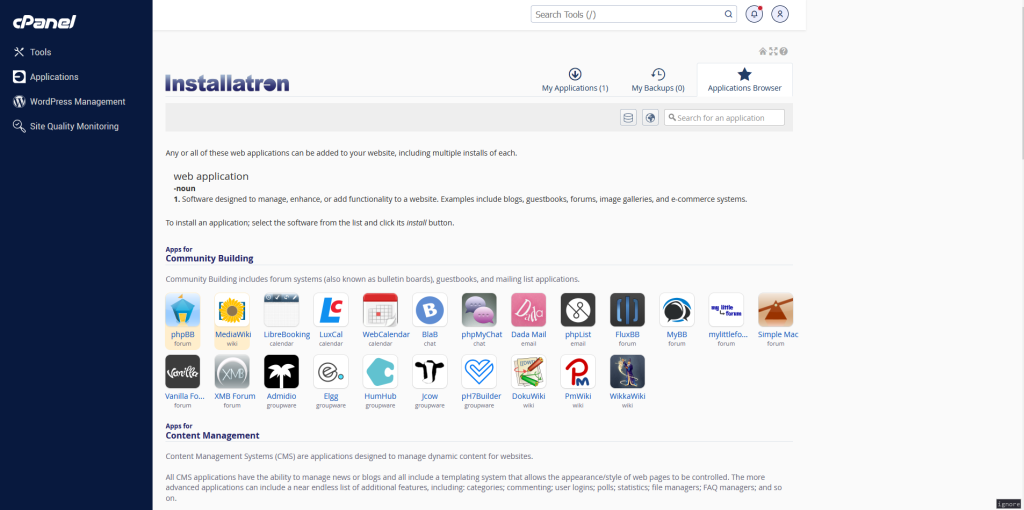
Left click the “Applications” button on the panel on the left side of the screen. Then look for an button on the right side of the screen with the text “Applications Browser” and click it.
The page should look like this:
Step 3: Find the WordPress Application
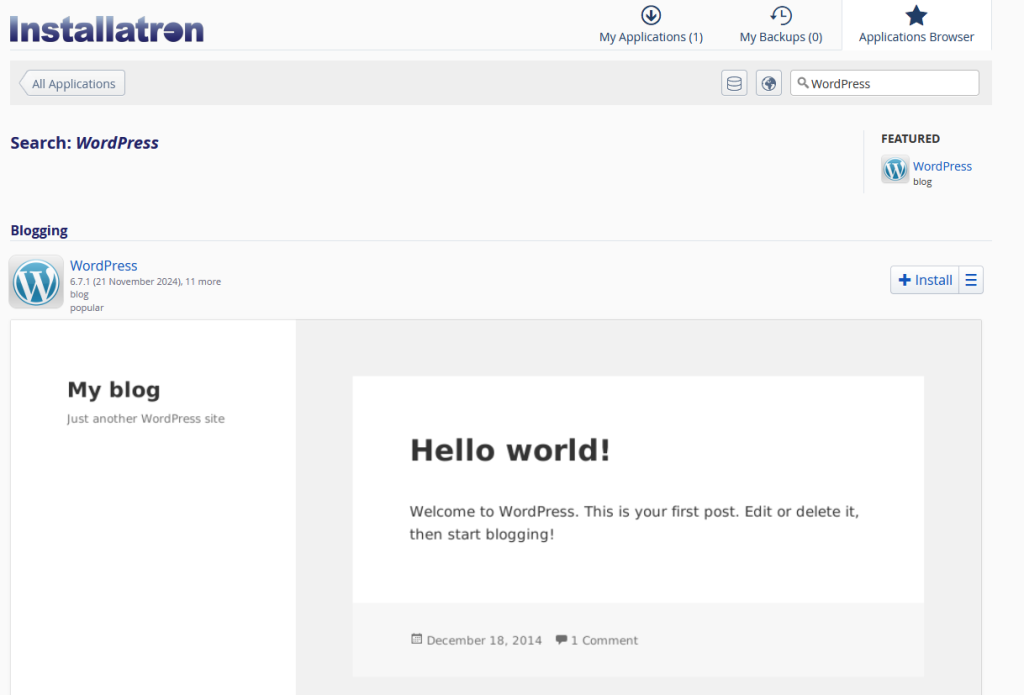
Click on the search field and type “WordPress” and press Enter.
You should see the WordPress application.
Step 4. Install the WordPress Application
You can now simply press the Install button.

Leave a Reply